
Cross-Border Payments
USDT Transfer Stuck on Pending: How Long Is Too Long, and What You Can Do
A pending USDT payment can be stuck at the sending platform, in the wallet, or at the receiving exchange. Find which one, what a normal wait is, and who can act.
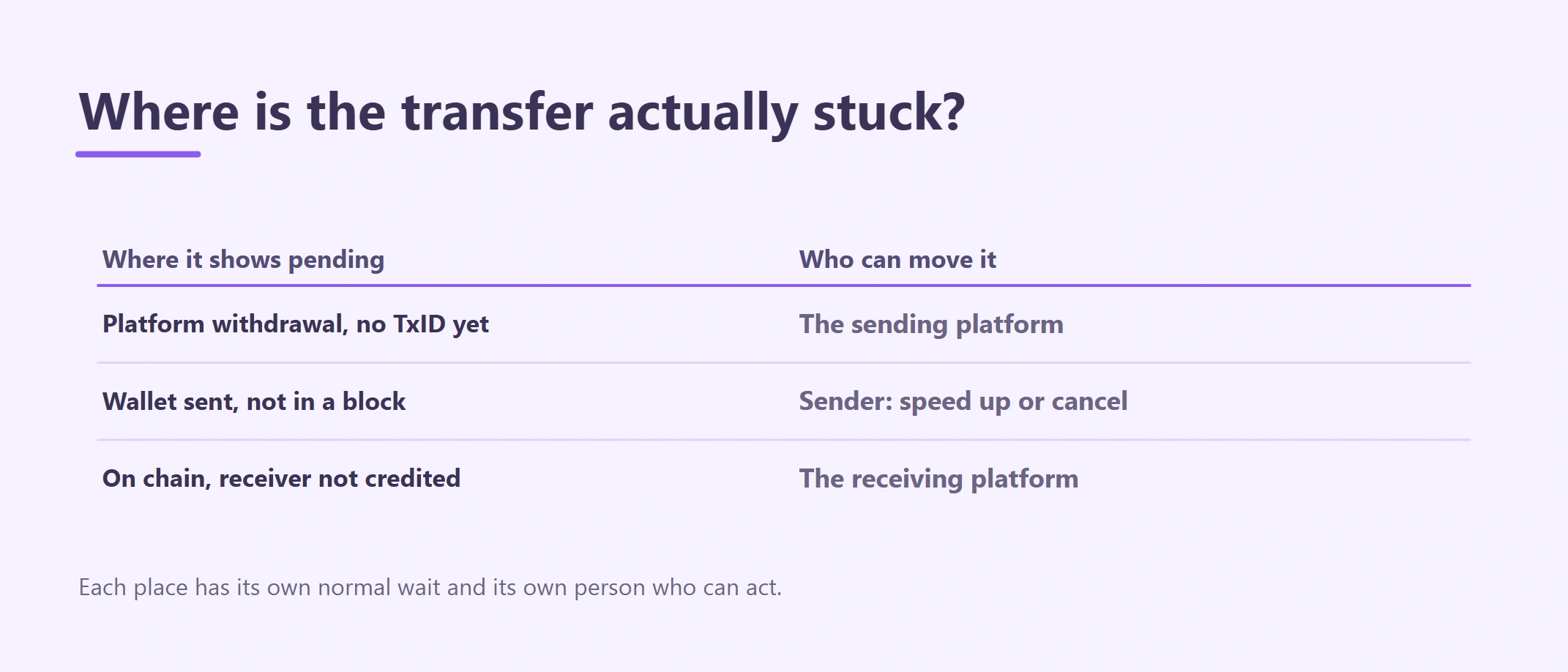
A USDT payment that says "pending" can be stuck in three different places, and each one has a different normal wait and a different person who can fix it. Before you decide whether it has been too long, find out which of the three you are looking at. This guide is for freelancers and small businesses in Cambodia who are waiting on, or sending, a stablecoin payment that will not finish.
If the client says they already paid and you simply see nothing, start with checking the client's TxID on a block explorer. This article picks up from the point where you have a transfer, and it is sitting in "pending".
First, find out where "pending" is showing
"Pending" is a label, not a diagnosis. Look at where you saw it and whether a TxID (transaction hash) exists.
| Where you see pending | What it usually means | Who can move it |
|---|---|---|
| An exchange withdrawal page, with no TxID yet | The platform has not sent it to the blockchain | The sending platform |
| A wallet app, with a TxID that the explorer shows as pending | It was broadcast but no block has included it | The sender, from the same wallet |
| Your exchange deposit page, while the explorer already shows Success | It is on chain; the receiving platform is counting confirmations or reviewing it | The receiving platform |
Everything below follows these three cases.
Case 1: an exchange withdrawal with no TxID
When the sender withdraws from an exchange, the request first sits inside that exchange. It may be waiting for its own security checks, a manual review, or a batch. Until the platform broadcasts it, there is nothing on any blockchain to look at, and no explorer will find it.
What counts as abnormal. There is no universal clock here. The sending platform's withdrawal history page is the only place that shows the real status. If it stays in "processing" or "under review" well past the time the platform states for that asset, the sender should open a ticket with that platform's official support.
What you can do. Ask the client for a screenshot of their withdrawal record with the status, amount, network and time. Tell them you will not see anything until a TxID appears.
What you cannot do. Your own exchange or wallet cannot see or speed up a withdrawal that has not left the other platform. Do not ask the client to "send again" while the first request is still open; if both go through, you are now arranging a refund.
Case 2: a wallet transfer broadcast but not in a block
This happens to people who send from a self-custody wallet such as MetaMask, Trust Wallet or TronLink. The wallet has a TxID, but the explorer shows it as pending.
On Ethereum and similar networks: usually a fee that was set too low
Ethereum produces a block every 12 seconds (ethereum.org), so a normal ERC-20 transfer is included within a minute or so. A transfer that has stayed pending for many minutes, while new blocks keep arriving, almost always means the fee bid was lower than what validators are currently accepting.
MetaMask's own help page puts it plainly: you "can end up waiting a long time if you submit with a low gas price" (MetaMask Support).
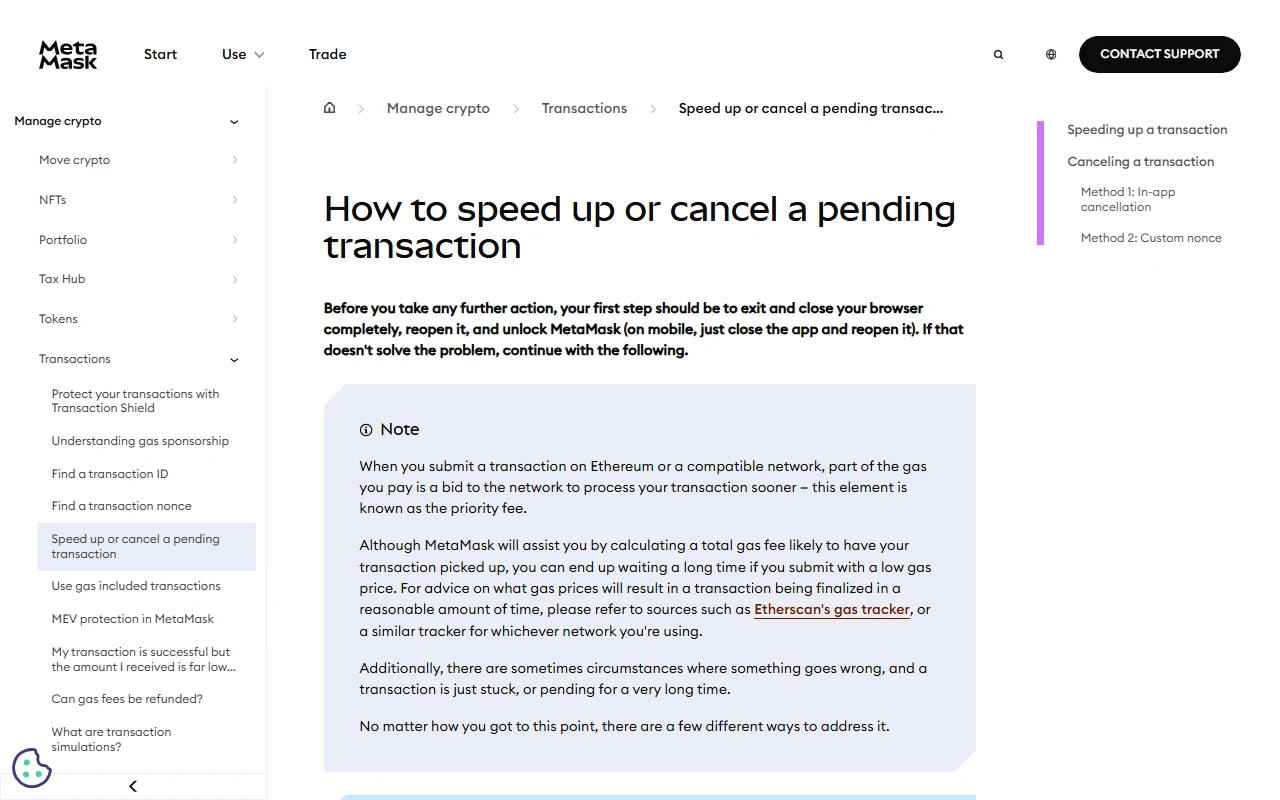 MetaMask's official help page for stuck transactions. It covers speeding up, in-app cancellation and the custom-nonce method.
The sender has two options, and both only work while the transfer is still pending:
- Speed up. The wallet re-sends the same transaction with a higher fee. MetaMask explains that this reuses the same nonce (the account's transaction counter), so only one of the two versions can ever be included. The sender does not pay the fee twice.
- Cancel. The wallet sends a replacement with the same nonce that moves no USDT. MetaMask says a cancellation "can only be attempted", needs a higher fee than the original, and cannot reverse anything already confirmed. If the original lands first, the payment goes through anyway.
One more thing that catches people out: Ethereum wallets process an account's transactions strictly in nonce order. If one transfer is stuck, every later transfer from that wallet waits behind it. Speeding up the oldest stuck one usually clears the queue.
If the sender cannot afford a higher fee because the wallet has no ETH left, that is a different problem: see why a wallet with USDT can't send without TRX, ETH or BNB.
On TRON (TRC-20): long pending is rare, and an unconfirmed transfer expires
TRON transactions carry an expiry time. The TRON developer documentation says the default is 60 seconds past the latest block, the maximum is 24 hours, and after expiry "the node drops the transaction instead of including it." It also says full confirmation (solidification) "typically takes about 1 minute" (TRON Developer Hub).
In practice this means a TRC-20 transfer that still shows pending after several minutes most likely never made it into a block and has been dropped. The sender should refresh the wallet, check the TxID on Tronscan, and only send again after the explorer confirms the first one does not exist or failed. If the explorer shows it as failed, the fee may have been spent but no USDT moved.
Case 3: confirmed on chain, but your account still shows pending
Here the blockchain part is done. The explorer shows Success and a rising confirmation count, yet your exchange deposit page still says pending.
What is normal. Every exchange waits for its own number of confirmations before crediting a deposit, and it shows that number on the deposit page for each network. Compare the explorer's confirmation count with that requirement. If the count is still below it, waiting is the right answer. The guide to network fees and confirmations explains what each status proves.
What counts as abnormal. The confirmations are well past the platform's requirement and the deposit has still not been credited. Common reasons are a missing memo or tag, an amount below the deposit minimum, a token or network the platform does not support, or an account review.
What you can do. Open a ticket with your receiving platform's official support and give them the TxID, network, amount and deposit address. If you receive on Binance, the Binance deposit troubleshooting checklist lists what support will ask for.
What you cannot do. The sender cannot speed up or cancel a transfer that is already in a block. Once it is confirmed, only the receiving platform can credit it.
What not to do while it is pending
- Don't pay anyone who offers to "unstick" or "accelerate" your transfer. Strangers in Telegram groups or comment sections cannot reach into a platform's queue or a blockchain's block. Real fixes come only from the sending wallet itself or from official support.
- Don't share your seed phrase, private key or login code with "support". No legitimate support agent needs them to look up a TxID.
- Don't send a second payment until the first one is either confirmed or proven failed or dropped on the explorer.
- Don't send further transfers from a wallet with a stuck Ethereum transaction; they will queue behind it.
Keep a short record
Note the TxID, the network, the time sent, the status you saw and when, and any ticket numbers. If the transfer later succeeds, this record matches the payment to the invoice. If it does not, it is what support will ask for.
Sources
- Ethereum.org, "Blocks" and "Transactions" developer documentation (12-second slots; pending, included, justified and finalized states).
- MetaMask Support, "How to speed up or cancel a pending transaction".
- TRON Developer Hub, "Transaction" (expiration and solidification).
Educational information only. Wallet features, exchange confirmation requirements and review times can change; check the live screen of the platform you are using.