
Crypto Basics
Custodial vs Self-Custody Wallets for Payments
Compare custodial and self-custody wallets by who controls the keys, how recovery works, provider risk, and which one suits the payments you actually make.
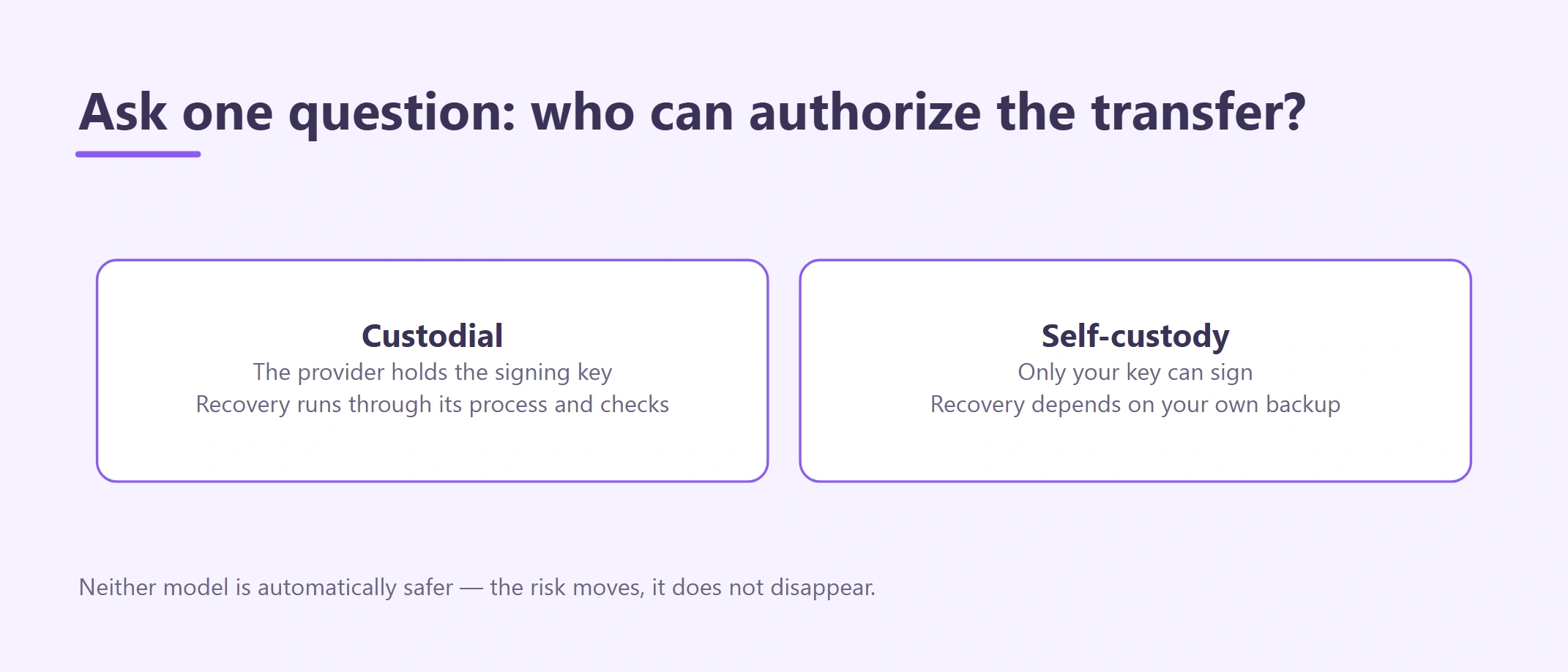
A custodial vs self-custody wallet decision is really a decision about who controls the keys and who must solve the next failure. A provider may restore access to a custodial account; a self-custody user may have no recovery route beyond a valid backup. Choose the model your payment task and operating habits can support. Official sources reviewed August 26, 2026.
A wallet decision is really a responsibility decision. In a custodial account, a provider controls the signing keys and updates an internal balance for you. In self-custody, your wallet signs with keys you control. Neither model is automatically safe: the risks move from one place to another.
This guide is for a beginner who wants to receive or send legitimate cross-border payments and needs to choose a practical operating model. By the end, you should be able to send each kind of payment through the right wallet, create a recovery plan, and complete a small test without exposing a recovery phrase.
Use this guide for: choosing who should control payment keys and recovery. For the exact difference between a seed phrase, private key, password and address, use the seed phrase vs private key safety.
Custodial vs self-custody wallets: start with key control
Ask: who can authorize an on-chain transfer?
- If a provider controls the private keys, it is custodial even when the screen calls the balance “your wallet.”
- If only your keys can sign, it is self-custody even when a software company built the wallet app.
- A wallet app is an interface. The recovery phrase or private key is what ultimately controls a self-custody account.
Ethereum.org makes the distinction explicit: a self-custody wallet provider supplies tools for interacting with an account but does not hold the funds. A centralized provider instead links access to an account and recovery process while retaining custody. This is why a login password and a seed phrase must never be treated as the same thing.
Compare responsibility, not marketing
| Decision area | Custodial account | Self-custody wallet |
|---|---|---|
| Transaction signing | Provider controls the keys and applies its controls | You sign with your key |
| Account recovery | Provider process, subject to identity and policy checks | Recovery phrase or another configured recovery method |
| Support | Provider may investigate account or crediting issues | No central party can reverse a valid signed transfer |
| Availability | Services, assets or withdrawals can be limited or suspended | Blockchain access remains possible if the network and wallet work |
| Main security risk | Provider compromise, account takeover, freeze, insolvency or policy change | Lost or exposed keys, malicious approvals, bad backups or wrong transactions |
| Network handling | Provider shows a supported deposit/withdrawal route | You must select and fund the correct network yourself |
| Privacy and records | Identity and transaction records are held by the provider | Public-chain activity remains visible; you hold more local operational data |
| Best fit | On/off-ramp, supported recovery, short working balance | Direct control, long-term access, on-chain payments you understand |
Ethereum.org's public Wallets page, captured 2026-08. The page explains wallet access; it does not endorse a particular provider or remove the recovery and custody risks compared below.
Bank account vs self-custody wallet: what actually differs
Many people reach this comparison from a slightly different question: should the money sit in a bank account, or in a wallet I control myself? The differences that matter are about who can reverse a payment, who you complain to when it goes wrong, and what counts as proof that the money arrived.
| Question | Bank account | Self-custody wallet |
|---|---|---|
| Who can move it | The bank, on your instruction and under its own controls | Whoever holds your key |
| Can a transfer be undone | Some payment types have recall, return or chargeback procedures | An authorized on-chain transfer is generally final |
| If you lose access | Identity-based recovery through the bank | Only your own tested backup |
| Who handles a dispute | The bank, then whatever regulator or complaints scheme applies locally | There is no counterparty to complain to |
| Deposit protection | Depends on the local deposit-protection scheme and account type | None; you hold the asset directly |
| Accounting evidence | The bank statement is a recognised record | On-chain record that you must link to an invoice yourself |
| Works across borders | Correspondent banking hours, cut-offs and intermediary fees | Network availability, but no built-in dispute or conversion path |
A custodial crypto account sits between the two: it has a provider recovery process and a complaints channel, but the balance is not a bank deposit. The row-by-row comparison between custodial and self-custody is in the previous section.
For a freelancer receiving cross-border payments, this is usually not a choice between the two. The invoice is priced in fiat, settlement may arrive as a stablecoin, and the proceeds still end up in a bank account in the same name. The wallet question is about which leg of that route you control and who carries the risk on that leg — not about replacing the bank. The bank leg itself is covered in selling USDT and cashing out in Cambodia.
If the payment does not actually need a crypto leg, a conventional bank transfer keeps the recall procedure, the dispute channel and the accounting record in one place. Choose the crypto route when it solves a real constraint, not because a wallet is easier to open.
What will you actually use the wallet for?
Write down the exact job:
- Will you receive a client payment, pay a supplier, hold a reserve, or cash out to a bank?
- Which asset and blockchain network has the counterparty agreed to use?
- Does the receiving service support that exact asset-network pair today?
- How quickly must the funds be converted or withdrawn?
- What amount could you lose without disrupting your business?
- Who needs access, and what happens if that person is unavailable?
A wallet that is convenient for a USD 20 test is not automatically suitable for a USD 5,000 reserve. Separate the transaction tool from the storage decision.
When a custodial account fits
A custodial route may be practical when you need a provider-supported bank conversion, account statements, a known recovery process, or an internal transfer between eligible users. It can also reduce the number of on-chain steps for a beginner.
Before using one:
- verify the provider and regional entity through current official sources;
- complete KYC using accurate information and your own documents;
- enable a passkey or strong second factor and secure the connected email;
- read the supported deposit asset, network, minimum, memo and confirmation requirement from the live account;
- understand withdrawal limits, security delays and what evidence support may request;
- keep only the balance you need for the payment you are actually making.
A provider login is not a guarantee of immediate withdrawal. A displayed internal balance is also not proof that a bank cash-out route is available. Use the securing a Binance account before adding funds.
When self-custody fits
Self-custody may fit when you need direct on-chain control, want to reduce reliance on a single provider, or can operate a tested backup process. It is not a shortcut around eligibility, KYC at later service providers, tax records or sanctions rules.
Choose self-custody only if you can answer yes to these questions:
- Can you protect a recovery phrase from theft, fire, loss and unauthorized copying?
- Can you identify the correct asset contract and network from authoritative sources?
- Can you keep the network's native fee asset without confusing it with the payment token?
- Can you review an address and transaction on a trusted explorer?
- Can you stop when a wallet asks for an unexpected signature or approval?
If not, learn and test with an empty or negligible-value wallet first. Do not make the first recovery exercise after receiving an important payment.
Set up self-custody without exposing the key
1. Verify the wallet source
Start from the project's official site or a verified app-store publisher. Avoid search advertisements, direct-message download links and “support” files. Check that the wallet is actively maintained and supports the network you actually need. A wallet directory is a research aid, not an endorsement.
2. Create the wallet privately
Use an updated personal device in a private place. Do not screen-share. If a recovery phrase appears, no person, support agent, website form or receiving party needs it.
3. Make an offline backup
Write the recovery material exactly as instructed and store it offline. Ethereum.org warns against screenshots because cloud photo sync can expose seed phrases and private keys. Do not paste the phrase into email, notes, chat, a password field or a website claiming to “check” it.
4. Test recovery before value arrives
With no meaningful funds present, follow the wallet's official recovery procedure on a clean device or approved recovery method. Confirm that the restored address matches. Then remove temporary copies and secure the backup again. Never improvise this test with a website or person.
5. Fund the native fee asset deliberately
A stablecoin balance may not pay the blockchain fee. Identify the native fee asset and send only a small amount appropriate for expected transfers. Read the crypto network fees and confirmations before moving the payment token.
6. Complete a small test
Generate a fresh receiving address in the wallet, compare it through an authenticated channel, and send a small test above any service minimum. Wait for on-chain confirmation and the wallet's credited balance. Use the crypto test transaction guide rather than trusting a screenshot.
Using both: an exchange account and your own wallet
Many payment users need both models:
- a verified custodial account for an eligible conversion or bank withdrawal;
- a self-custody wallet for direct control;
- a small working balance for routine invoices;
- a separate reserve that is not exposed to daily links, approvals or browser sessions.
The hybrid model works only when every transfer between the two is treated as a new route. Read the live destination screen, match the network, send a test, preserve the TxID and reconcile the credited amount. Do not reuse an old deposit address or assume that the same asset ticker means the same network.
Set a written working-balance rule. For example, define the amount needed for the next payment cycle rather than leaving all receipts in the most convenient account. The number must come from your real obligations and risk tolerance—not from an article.
A USD 420 invoice: which wallet fits
This is an illustrative example, not a claim about a real customer or a current fee.
A freelancer expects a USD 420 invoice to be paid in USDC. The client and freelancer first agree on the exact network and who pays transfer fees. The freelancer needs most of the money in a same-name bank account within several days.
- The freelancer verifies whether an eligible custodial provider currently supports that USDC network and a bank route.
- If yes, the live provider deposit page becomes the destination source of truth. A small test is credited before the balance is sent.
- If the freelancer receives to self-custody first, the wallet must already have a tested backup and enough native gas for the later transfer.
- Moving from self-custody to the provider creates a second transaction, a second fee and a second network-matching check.
- The invoice, rate rule, test TxID, main TxID, provider credit, conversion record, fees and bank receipt are kept together.
The better route is the one that completes the real business goal with fewer unverified dependencies—not simply the one with the lowest visible fee.
What to do when something goes wrong
| Situation | What not to do | Safer response |
|---|---|---|
| Custodial login is locked | Pay a stranger to “unlock” it | Use the provider's official recovery channel and preserve case records |
| Seed phrase is lost | Guess repeatedly or upload a backup to a website | Stop; use only the configured recovery method. No central party can recreate a missing phrase |
| Seed phrase may be exposed | Keep receiving into the same wallet | From a clean environment, create a new wallet and move assets after verifying the route |
| Unknown token or approval appears | Sign to “see what happens” | Reject it and inspect the contract and requesting site independently |
| Wrong network was selected | Send another transfer immediately | Stop, collect TxID and route evidence, and ask the actual destination controller about recovery |
| Provider is unavailable | Assume self-custody automatically solves cash-out | Reassess the legal and banking route before moving funds |
Anyone asking for a recovery phrase, private key, OTP, remote device access or an advance crypto payment is a stop signal. Review the crypto scam red flags.
Write down your choice and why
Write these down before any money arrives:
| What to settle | Your answer |
|---|---|
| Payment job | Receive / pay / store / cash out |
| Custody model | Custodial / self-custody / hybrid |
| Key controller | Named provider or named responsible person |
| Asset and network | From current official sources and live destination |
| Recovery method tested | Date and result; never record the secret here |
| Native fee asset ready | Yes / not needed / unresolved |
| Working-balance limit | Based on real obligations and loss tolerance |
| Test transaction evidence | TxID and credited result |
| Exit route | Verified provider or destination, with date checked |
| Stop condition | Lost key, changed route, unknown approval, restriction or mismatch |
Your wallet setup is ready when
The task is complete only when:
- you know who controls the signing key;
- the recovery process has been tested without exposing secrets;
- the wallet supports the exact asset-network pair;
- the native fee requirement is understood;
- strong account/device security is enabled;
- a small test reaches the intended credited balance;
- the working balance and reserve are separated when appropriate;
- the invoice, TxID, fees and later cash-out records can be reconciled.
Official sources
- Ethereum.org: Wallets
- Ethereum.org: Security and scam prevention
- Ethereum.org: Wallet directory criteria and filters
- Circle: Official USDC contract addresses
Educational information only. Self-custody removes a provider from key control; it does not remove issuer, smart-contract, network, legal, tax, device or human-error risk.